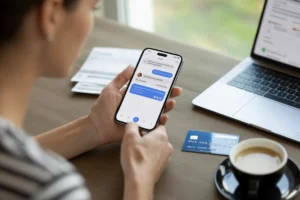
A household expense tracker is an essential tool for monitoring your spending and keeping your finances organized. Whether you prefer a mobile app, a spreadsheet, or a manual method, these trackers help you save money, meet goals, and gain clarity on your financial health. In this guide, you’ll learn the best tools, methods, and strategies to track household expenses effectively.
Key Takeaways
- A household expense tracker helps monitor daily, weekly, and monthly spending.
- Apps like Goodbudget, PocketGuard, and YNAB simplify budgeting and savings.
- Spreadsheets such as Excel or Google Sheets allow customizable tracking.
- Envelope and zero-based budgeting are popular methods for managing finances.
- Avoiding common mistakes like neglecting irregular expenses ensures accuracy.
- Regular tracking improves long-term financial habits and goal achievement.
- Free apps and templates are available for beginners and advanced users.
What Is a Household Expense Tracker?
A household expense tracker is a system that records, organizes, and analyzes your income and spending. It can be digital or manual and typically allows users to categorize expenses, set budgets, and review spending trends.
Types of household expense trackers:
- Apps: Mobile-friendly, often with bank account integration. Examples include Goodbudget, PocketGuard, and Monarch Money.
- Spreadsheets: Excel or Google Sheets templates that let you track manually and customize reports.
- Manual Logs: Physical notebooks or planners for detailed personal tracking.
According to the U.S. Consumer Financial Protection Bureau (CFPB), households that actively track expenses are more likely to meet saving goals and reduce debt.
Why Does a Household Expense Tracker Matter?
Tracking expenses helps you understand where your money goes, reduce unnecessary spending, and stay on top of bills. Without a proper system, it’s easy to overspend or miss financial goals.
Benefits of tracking household expenses:
- Gain full visibility of income and expenses.
- Identify unnecessary or duplicate spending.
- Set realistic budgets and achieve financial goals faster.
- Improve financial decision-making with data-driven insights.
Expert insight: A study by the National Endowment for Financial Education found that 70% of adults who track expenses regularly report feeling more confident about their financial future.
How to Use a Household Expense Tracker Effectively
Step 1: Choose Your Tracking Method
- Apps: Download a free or premium household expense tracker app. Goodbudget is great for beginners, while YNAB suits those seeking zero-based budgeting.
- Excel/Google Sheets: Use a household expense tracker excel template for DIY control. Templates often include pre-built categories and charts.
- Manual: Record transactions in a notebook or planner, especially for cash spending.
Step 2: Categorize Your Expenses
Create categories such as:
- Housing (rent/mortgage, utilities)
- Groceries & Dining
- Transportation (fuel, maintenance)
- Entertainment & Hobbies
- Savings & Investments
- Miscellaneous
Step 3: Set Budgets and Limits
- Assign spending limits per category.
- Use envelope budgeting (Goodbudget) or zero-based budgeting (YNAB) to ensure every dollar has a job.
Step 4: Track and Review Regularly
- Input transactions daily or weekly.
- Generate monthly reports to analyze trends.
- Adjust budgets as needed.
Step 5: Use Insights to Save
- Spot overspending habits.
- Identify opportunities to cut costs or increase savings.
Examples and Comparison of Household Expense Tracker Options
Tracker TypeBest ForFeaturesCostProsCons
Goodbudget Beginners & Couples Digital envelope system Free / Paid Simple, easy to share Manual entry needed for some accounts
PocketGuard Quick overview “In My Pocket” spending Free / Paid Automated, shows cash left Limited advanced budgeting
YNAB Detailed control Zero-based budgeting Paid Proactive money management Subscription cost
Monarch Money Flexible tracking Investments, net worth Free / Paid All-in-one view Slight learning curve
Money Manager Mobile-focused Expense visualization Free / Paid Strong mobile UI Less support for shared finances
Excel Template DIY enthusiasts Customizable categories Free Fully flexible Manual data entry required
These options cater to different financial goals and comfort levels, from simple tracking to advanced budgeting.
Common Mistakes to Avoid with Household Expense Tracking
- Neglecting irregular expenses: Account for quarterly bills or annual subscriptions.
- Overcomplicating categories: Too many categories can confuse tracking.
- Not reviewing reports regularly: Weekly or monthly reviews help maintain accuracy.
- Ignoring cash spending: Include physical cash transactions for complete insight.
- Skipping automation: Linking accounts reduces errors and saves time.
What Are the Long-Term Benefits of Tracking Household Expenses?
- Improved financial health: Reduced debt, better budgeting, and more savings.
- Goal achievement: Track and reach short-term and long-term financial goals.
- Behavior change: Understanding spending habits encourages smarter decisions.
- Stress reduction: Clarity about finances reduces money-related stress.
Tracking household expenses consistently can transform finances over time, making it easier to handle emergencies, plan investments, and achieve life goals.
Conclusion and Next Steps
A household expense tracker is more than a tool—it’s a financial habit that creates clarity, control, and peace of mind. Start small with a free app or a simple spreadsheet template, categorize your spending, and review regularly. Over time, this practice can lead to significant savings, smarter financial decisions, and improved long-term wealth management.
Take the first step today: download a household expense tracker app free or try a household expense tracker excel template to begin gaining control of your household finances.
FAQs
What is the easiest household expense tracker app for beginners?
Goodbudget and PocketGuard are great for beginners due to their simple interfaces and intuitive features.
Can I use Excel to track household expenses?
Yes, a household expense tracker excel template allows full customization and detailed reporting.
Are there free household expense tracker apps?
Yes, apps like Goodbudget, PocketGuard, and Money Manager offer free versions with essential tracking features.
How often should I update my household expense tracker?
Ideally, update daily or weekly to keep data accurate and actionable.
What is the best method for budgeting using a household expense tracker?
Envelope budgeting and zero-based budgeting are effective methods to control spending and assign every dollar a purpose.